Appearance
推荐使用 vs code 编辑器
安装Visual Studio Code
安装教程上网找找
安装 rust-analyzer 插件。

安装Native Debug 插件

创建项目
运行命令
shcargo new demo打包
shcargo build运行
shcargo build
运行cargo命令可能遇到的问题
在windows环境下运行打包命令可能会报错
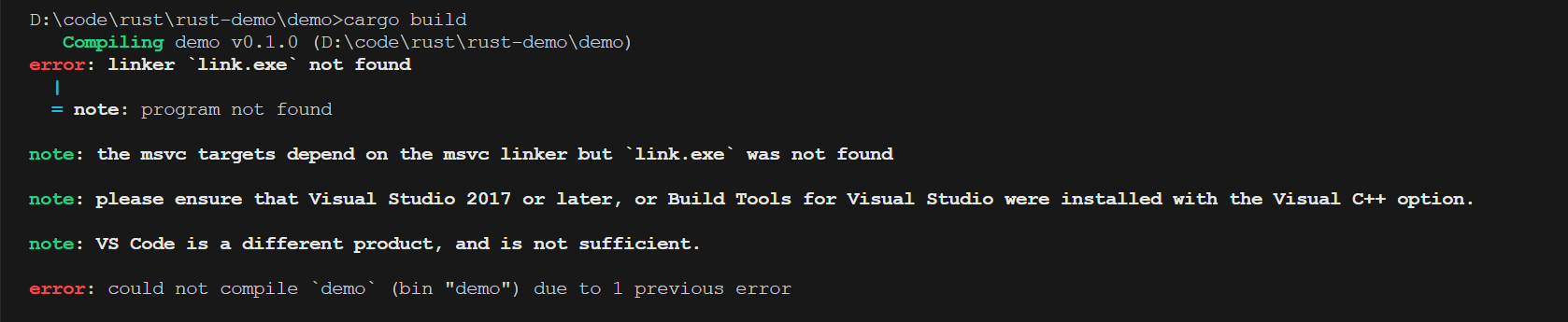
rust
Compiling demo v0.1.0 (D:\code\rust\rust-demo\demo)
error: linker `link.exe` not found
  |
  = note: program not found
note: the msvc targets depend on the msvc linker but `link.exe` was not found
note: please ensure that Visual Studio 2017 or later, or Build Tools for Visual Studio were installed with the Visual C++ option.
note: VS Code is a different product, and is not sufficient.
error: could not compile `demo` (bin "demo") due to 1 previous error
问题显而易见,我们没有这个链接器的可执行文件,根据官方文档安装visual studio code或者visual studio即可,但在这里我已经装了visual studio code,仍然报了错误,显然,我们要另寻解决方法。
sh
rustup toolchain install stable-x86_64-pc-windows-gnush
rustup default stable-x86_64-pc-windows-gnu再试一下运行你的 hello world 吧,它可以运行出来了!
这两条命令做了什么呢?
- 第一条命令是安装稳定版本的 Rust GNU 工具链,在这里我们无法链接到msvc,查询得知 msvc 是Windows环境用来模拟Linux环境中提供gcc编译的,因为rust的编译依赖于gcc编译器,没错,就是C/C++的编译器。 msvc 的全称是 MinGW(Minimalist GNU for Windows)。
- 第二条命令是设置默认的 Rust 工具链,设置之后运行rustc、cargo等命令就会默认使用刚刚安装的工具链。